Message Centre
Screenshots in this document were captured from a non-standard account. Interface colours in standard accounts may differ, but all functionality remains the same.
Message Centre Overview
The Message Centre allows headquarters (HQ) to:
- Compose new messages from your device to another device within the same group.
- View messages sent from or to devices in a group.
- View messages relayed through a device.
Manage Messages in the Message Centre.
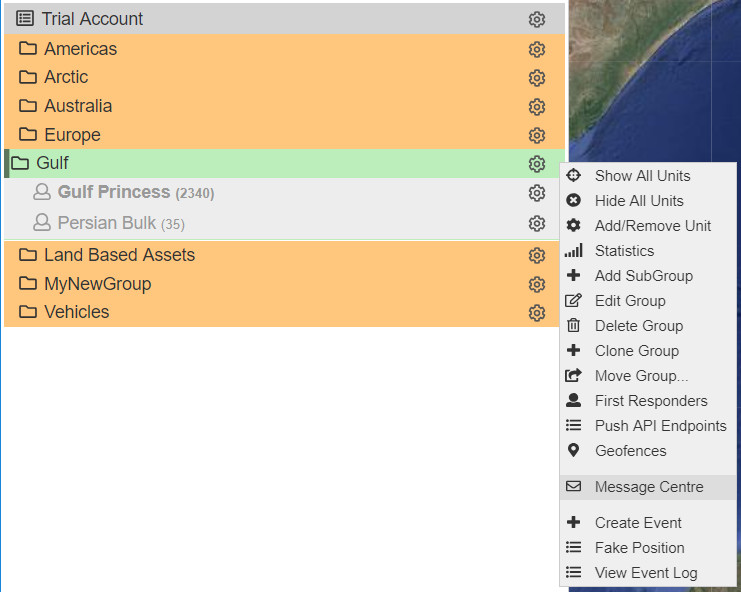
Messages sent from devices are called MO (Mobile Originated), while messages sent to devices are called MT (Mobile Terminated).
Composing a Message in the CORE
You can compose a new message to one, multiple, or all devices in your group. A character counter is available underneath the message window to inform you of the remaining characters in the message.
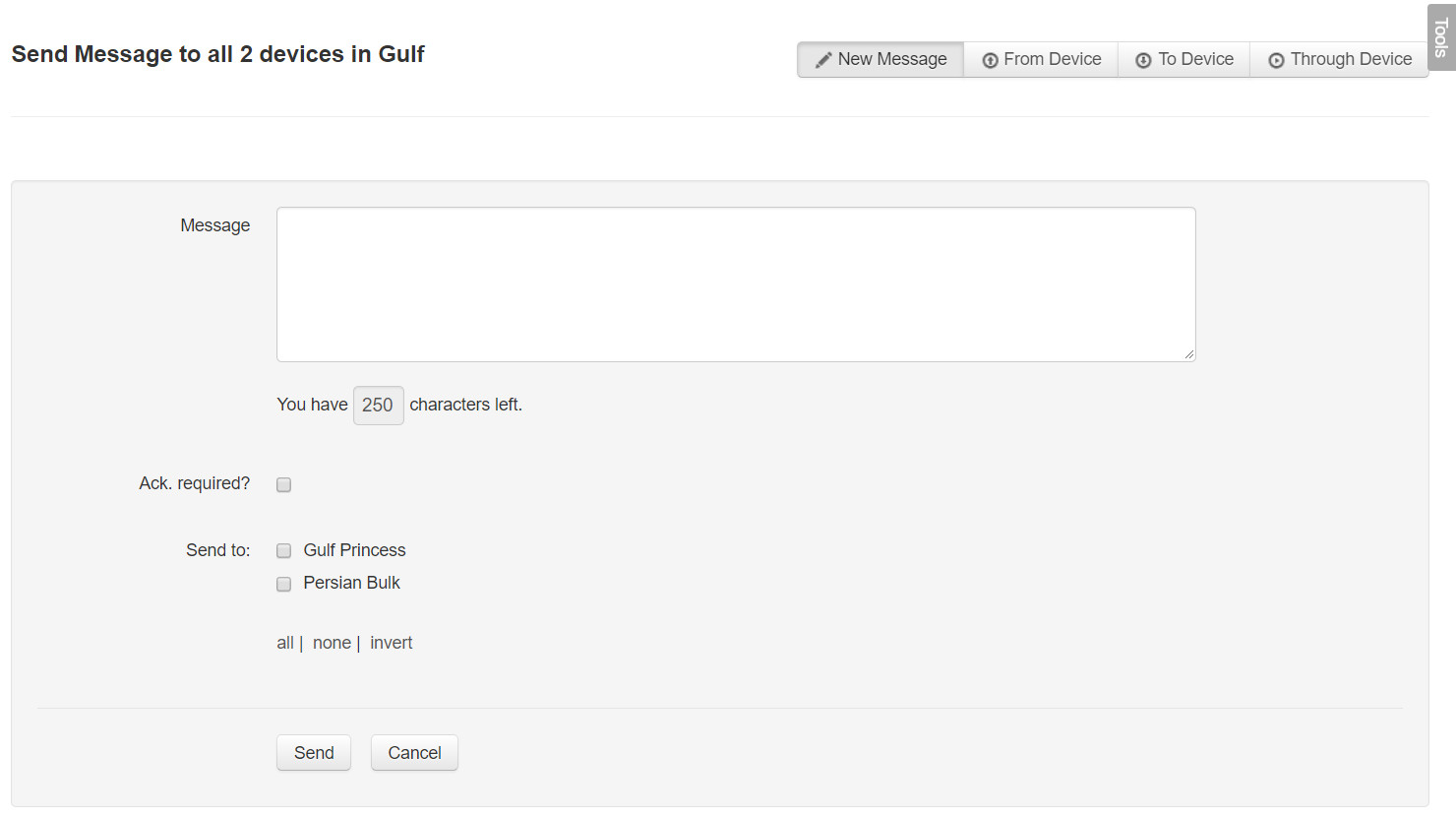
Should you require an acknowledgement from the field, simply tick the Ack Required? box.
Searching Messages
All messages are stored in the CORE and can be accessed for future reference. Messages originating from a device within your group are listed here.
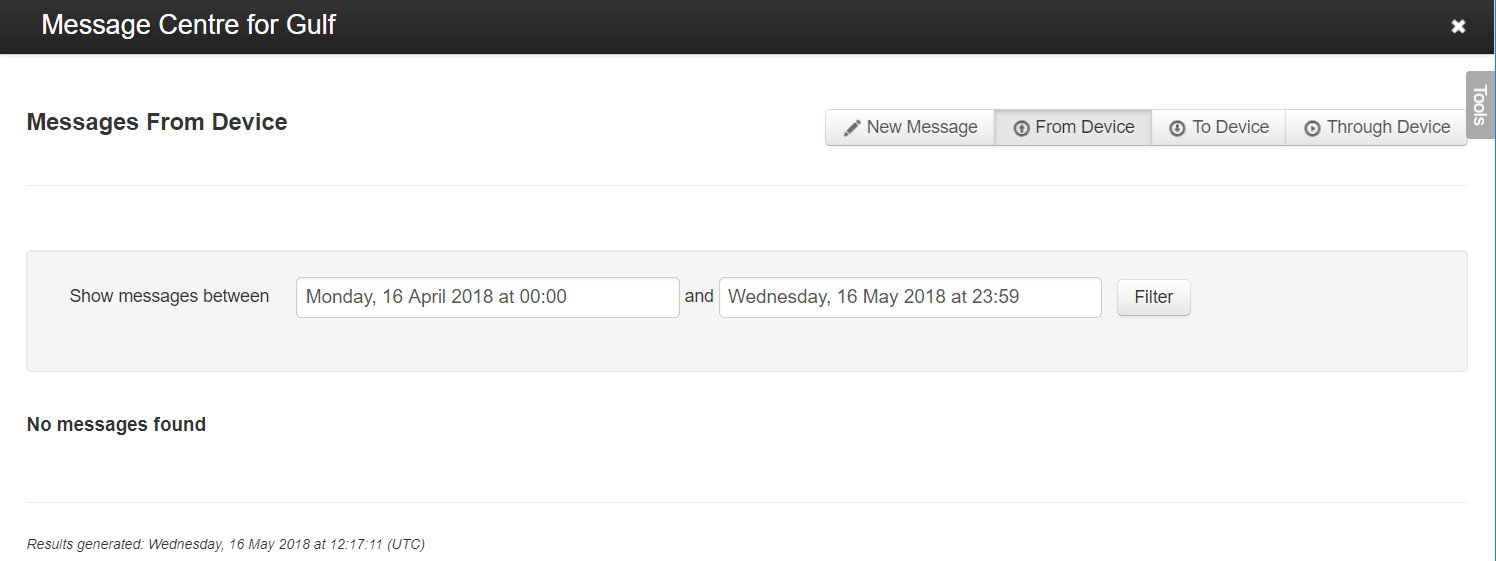
Select the date using each of the drop-down calendars and then press Done.
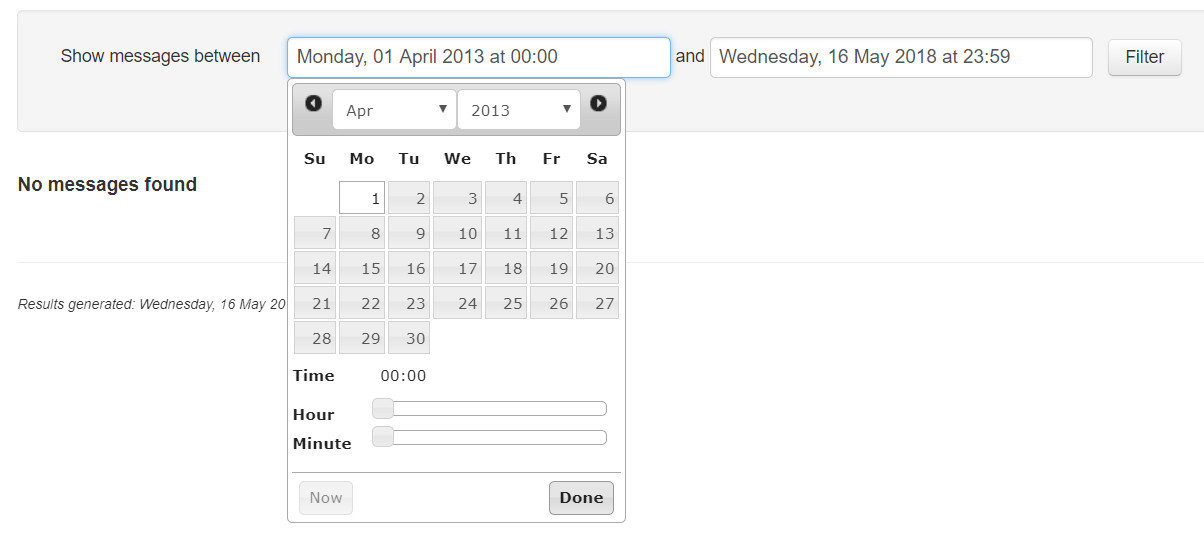
After selecting the dates, press the Filter button to display a list of messages from all devices.
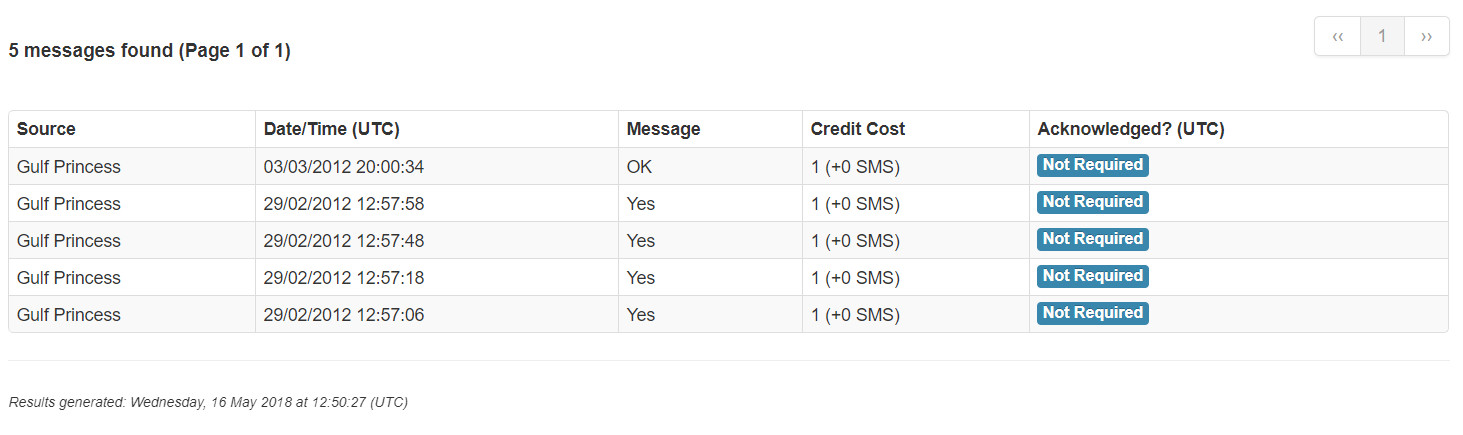
Each entry includes the following message information:
- Source: Origin of the MO message.
- Date/Time (UTC): Timestamp of the message.
- Message: The text of the message.
- Credit Cost: Cost of transmission, in credits.
- Acknowledged? (UTC): The acknowledgement time, if applicable.
The same methodology applies when filtering messages To or Through a device.